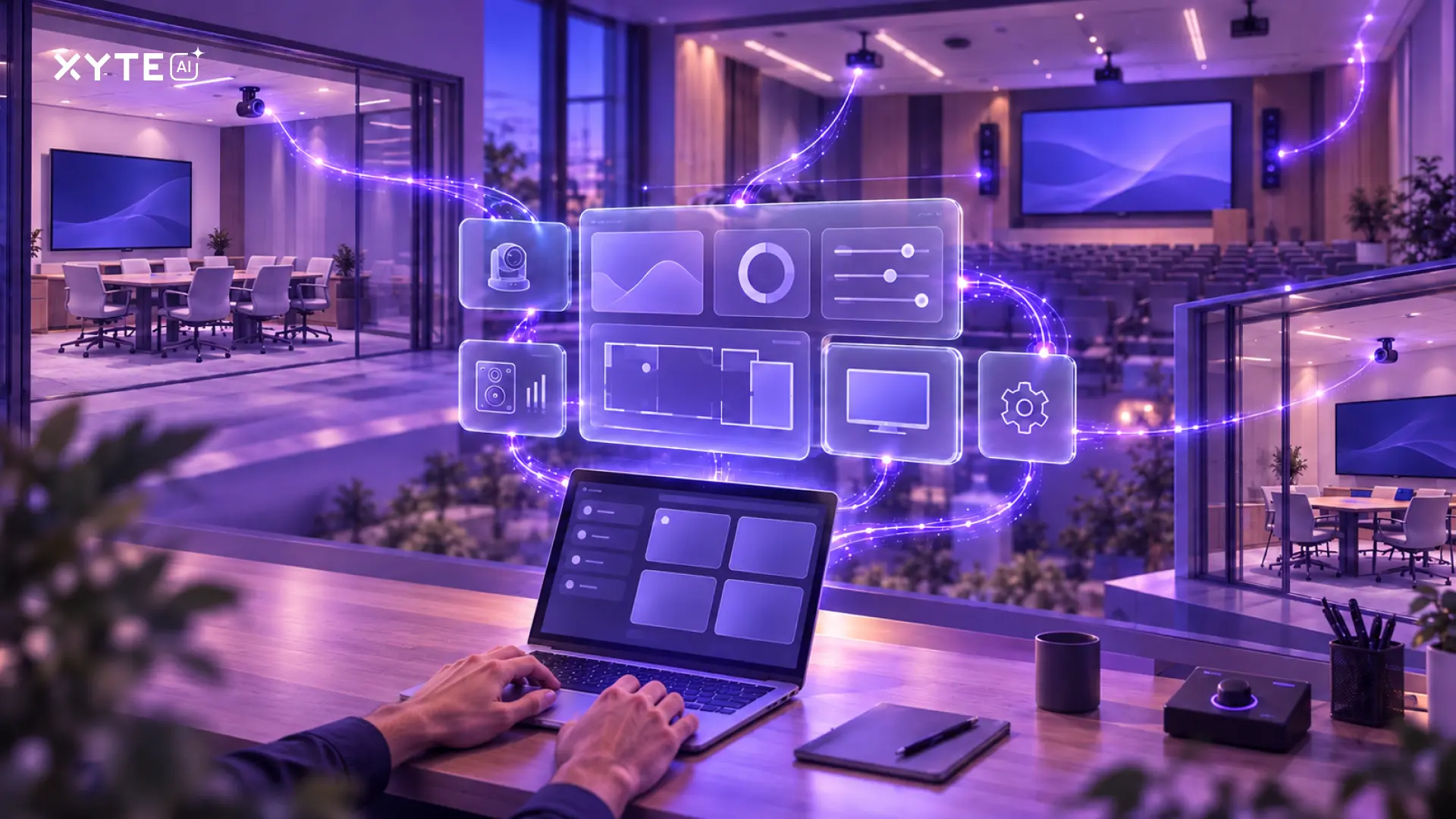
Enterprise AV/IT fleets rarely follow one clean architecture.
New meeting room systems may already report to a manufacturer's cloud. Displays, projectors, DSPs, PDUs, and other devices may be reachable only on a local network. Some newer devices can connect directly to a management platform without a local gateway.
These devices still share rooms, networks, support teams, and service expectations. When one fails, the user does not care which connection model it uses. They care that the room is down.
That is why choosing an AV/IT management platform based on a single connection method creates problems later. A cloud-to-cloud-only product leaves local devices behind. An edge-only product can add infrastructure where a direct cloud connection would be simpler. A platform with strong native support may still miss devices managed through third-party clouds.
The practical goal is not to pick one model. It’s to use the right connection for each device while managing the fleet as one operating environment.
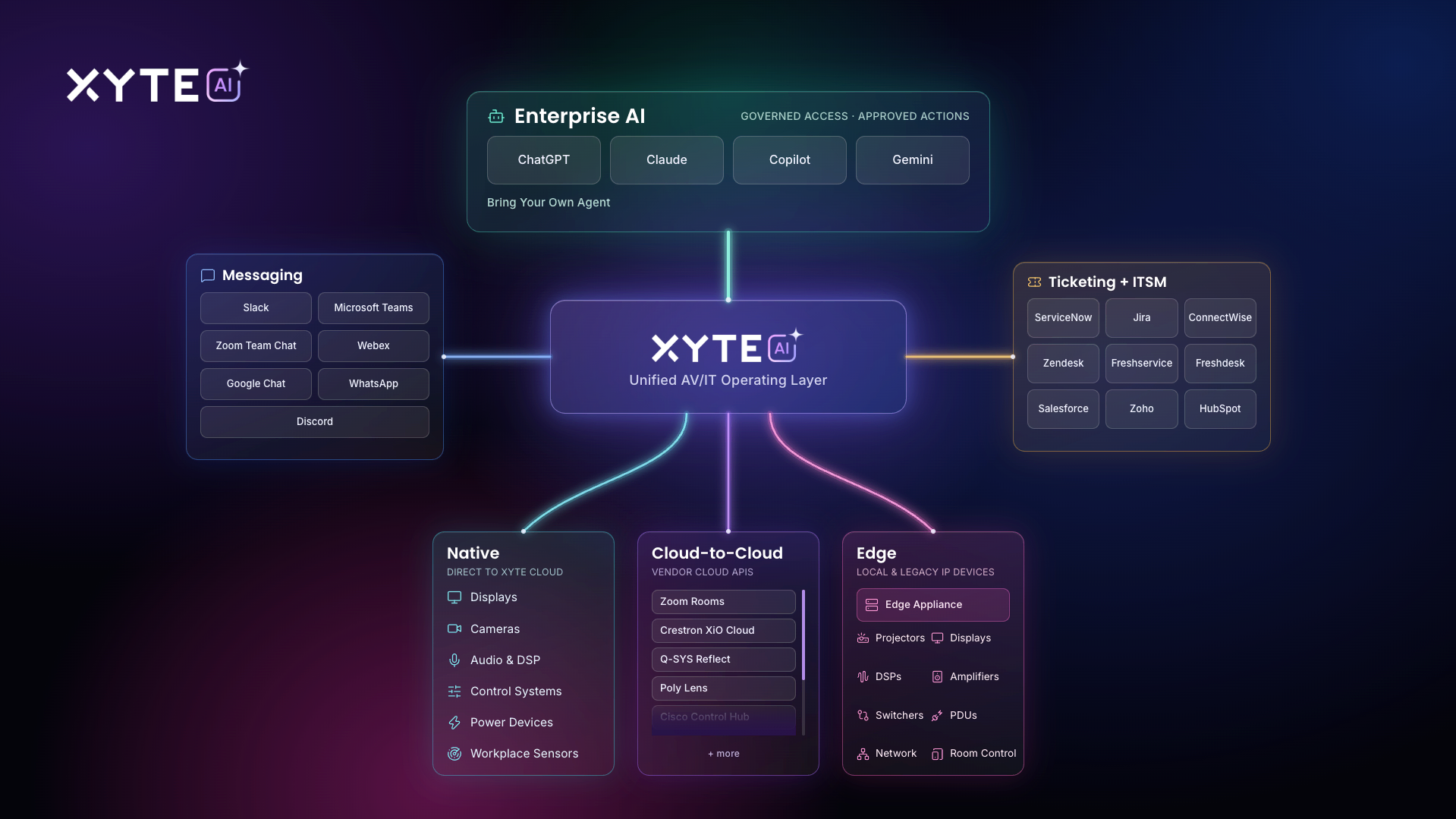
The three ways devices enter a management platform
Each connection model solves a different part of the fleet.
These labels describe the connection path, not the depth of management. Two integrations that both appear as “supported” may expose very different data and controls. One may provide online status and basic inventory. Another may provide detailed telemetry, logs, configuration data, and commands.
Before counting a device as covered, confirm what the team can see and do with that specific model.
Why enterprise fleets need all three
Large fleets grow through years of purchases, standards changes, acquisitions, office moves, and integrator projects. Even a well-governed enterprise can have several generations of equipment in one building.
A typical room may include a video endpoint connected through a vendor cloud, a display managed through an edge connection, and a PDU that connects natively. If those devices appear in three separate tools, the operations team must reconstruct the room every time there is a problem.
A broader management layer should preserve the connection best suited to each device while creating shared operational context above it:
- Which site, building, floor, and room contains the device?
- What else in that room changed at the same time?
- Is the problem isolated to one device or shared across a connection path?
- Which incidents are open, and who owns the next step?
- What remote commands are available before someone is dispatched?
This matters because many apparent device failures are not isolated device failures. Xyte's Midyear 2026 AV Cloud Data Report found that roughly two-thirds of more than 6,000 offline incidents appeared in shared-dependency patterns, including room-level drops, edge-path outages, cloud connector issues, and broader site events. The connection path is part of the diagnostic context.
Fleet coverage is only the first layer
Putting devices on one screen helps, but it doesn’t complete the operating model. Enterprise teams need incidents to reach the systems where work is already happening.
If an AV alert stays inside an AV dashboard, someone has to notice it, interpret it, and copy it into another tool. That delay keeps support reactive. It also breaks the record of what happened and how the team responded.
A complete operating layer should connect device events to two kinds of workflows.
Messaging and collaboration
Routing incidents to chat can put the right information in front of the people responsible for a site, room, customer, or device. Xyte currently supports WhatsApp, Discord, Google Chat, Microsoft Teams, Slack, WebEx Teams, and Zoom Chat for messaging integrations.
The useful question isn’t “Can the platform send a notification?” It’s whether the team can route the right incidents to the right destination based on operational context such as priority, customer, space, or device.
Ticketing, ITSM, and PSA
For work that needs ownership, escalation, and a formal record, incidents should flow into the ticket service system. Xyte supports connections with systems including ServiceNow, Jira Service Management and Jira project tools, ConnectWise, Zendesk, Freshservice, Freshdesk, Salesforce, Zoho, HubSpot, HaloPSA, BMC Helix, SolarWinds, and SysAid.
Here, too, the name of the connector is only the start. Confirm whether the integration opens tickets, synchronizes updates, preserves device and room context, and supports the routing rules your service desk uses.
What makes an AV/IT fleet ready for enterprise AI?
Giving an AI assistant access to another dashboard does not make a fleet AI-ready.
AI needs structured data it can read, clearly defined operations it can call, and controls that prevent an unreviewed suggestion from becoming a real-world change. For AV/IT operations, that means:
- Normalized fleet context. Devices need consistent identities and relationships to rooms, sites, incidents, tickets, and connection paths.
- Machine-readable data. The assistant needs structured output rather than screen text it must interpret or guess at.
- Defined actions. Commands such as retrieving telemetry, opening a ticket, moving a device, or planning remediation need predictable inputs and results.
- Authentication and scope. The connection must limit the assistant to the fleet and operations it is authorized to access.
- Human approval for sensitive changes. Reboots, configuration changes, and other write actions should stop for review when required.
- Auditability. The team needs a record of what the assistant requested, what a person approved, and what the platform executed.
This is a different standard from adding a chatbot to a portal. It turns fleet data and controls into a governed interface that an enterprise AI assistant can use.
Xyte provides two generally available paths for this work. The Xyte CLI gives people, shell-capable AI agents, and automation jobs structured access to fleet inspection, incident investigation, reporting, and controlled workflows. Its schema-validated JSON output gives software a predictable result, while guarded writes keep sensitive changes behind explicit confirmation. The Xyte MCP Server connects MCP-capable assistants to devices, spaces, telemetry, incidents, tickets, and commands through defined tools.
This approach does not require the AV team to standardize on one AI model. Teams can work with assistants and agent environments that support the required CLI or MCP interface, including current workflows with Copilot, Gemini, ChatGPT, and Claude.
The underlying data still matters most. In Xyte's Midyear 2026 research, only 4% of respondents said their AV data was ready for AI workflows, while 68% described it as messy or siloed. AI cannot investigate a room well when half its devices, incidents, and service history remain hidden in disconnected systems.
A practical evaluation checklist
When comparing platforms, test them against a representative room or site rather than a short list of preferred brands. Ask:
- Can the platform manage devices that connect natively, through vendor clouds, and through the local network?
- Can all three connection types coexist within the same room and fleet hierarchy?
- What telemetry and commands are available for each exact device model?
- Can the edge option run as managed software or a preconfigured appliance where needed?
- Does edge communication require inbound firewall ports, or can it operate through outbound connections?
- Can incidents route to the collaboration and service tools the organization already uses?
- Can the platform preserve room, device, and incident context when it creates a notification or ticket?
- Can enterprise AI access structured fleet data without scraping a user interface?
- Are sensitive actions gated by approval and recorded for review?
- Can the platform grow with the fleet without forcing the enterprise to replace working devices or add another portal for each new connection type?
The best test is simple: choose a mixed room, trace every device into the platform, generate an incident, route it to the service desk, investigate it through the team's AI assistant, and review the available remediation path. The gaps become visible quickly.
One operating layer for a mixed fleet
Cloud-to-cloud, edge, and native connections aren’t competing architecture choices. They’re complementary ways to reach a fleet that’s already mixed.
Enterprise teams need a management layer that can bring those connection paths together, preserve their differences, and carry the resulting context into alerts, tickets, reports, workflows, and governed AI operations. That’s what allows a team to manage rooms and sites as complete systems rather than a collection of vendor portals.
Next step: Build a connection-path inventory for one representative site. List each device model, its current management source, the telemetry and commands your team needs, and whether native, cloud-to-cloud, or edge is the best route. Then compare that list with Xyte's supported devices and connection options.



![Is My AV Gear Supported? [Hint: It’s Not a Yes-or-No Question]](https://cdn.prod.website-files.com/64b4f17a16222f7b816bb7a9/6ac76147cf570765858d8ad5_blog%20-%20are%20my%20devices%20supported.webp)