
Bring your AI assitant to your fleet
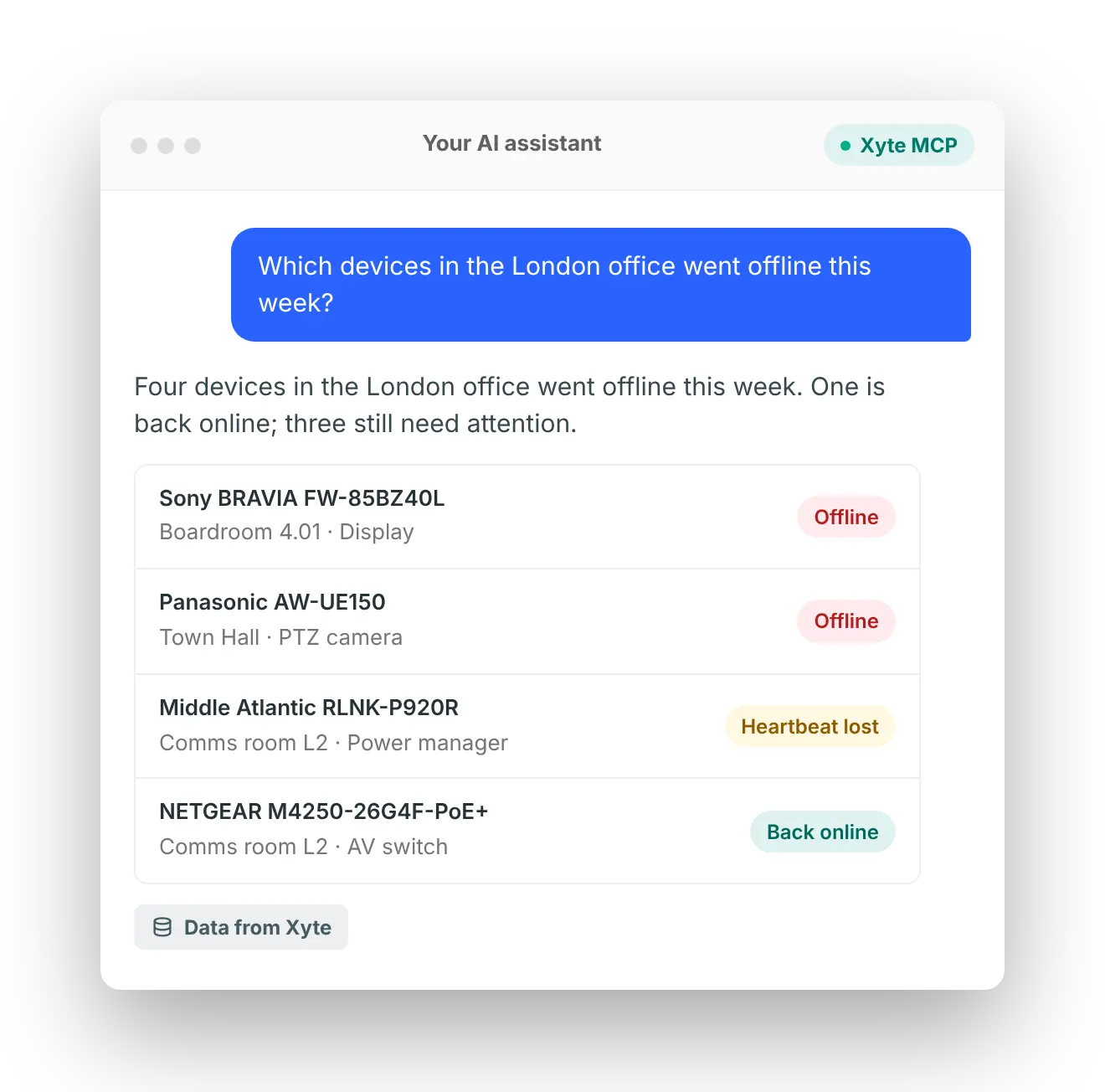
Connect Claude, Codex, Copilot, Gemini or any MCP-compatible assistant to Xyte. Ask about rooms, devices and incidents in plain language and get answers from live fleet data, with your team in charge.
One connection between your AI and your fleet
Most AV teams are not short on tools. They're short on answers. The data is there, spread across vendor portals, tickets and device logs. Xyte MCP connects the AI assistant your company already uses to all of it, so your team can ask a question and get an answer grounded in what your devices are reporting right now.
Any brand, one place
Ask once across every device Xyte manages, not portal by portal.
Live data, not guesses
Answers come from your Xyte fleet: devices, rooms, incidents and tickets.
Your assistant, not a new one
Keep using the AI tool your company already licenses.
Three steps to your first answer
AI that works inside your rules
AI is only useful if it can reach the right data and act with the right controls. Xyte MCP never gives an assistant more access than you do.
Built with enterprise grade security, Xyte offers enterprise CIOs and IT directors a fully scalable cloud architecture with a highly resilient infrastructure, SOC 2 Type 2 certification, and the highest levels of privacy.
Your permissions, nothing more
The assistant can only see and do what its Xyte API key allows.
Read-only when you want it
Run it in read-only mode for exploring, reporting and anything unattended.
Confirmation before changes
Nothing is deleted or changed without explicit permission from a person.
Secrets stay secrets
API keys are filtered out of anything the assistant sees.
Your AI provider, your contract
Xyte adds no middleman. Fleet data flows between Xyte and the assistant you chose.
Running it at scale? Use Xyte CLI
MCP is for people asking questions. Xyte CLI is for processes: the bulk, repeatable jobs your integrators, IT and DevOps teams run or hand to coding agents like Claude Code, Codex and GitHub Copilot. It uses the same data and the same permissions as MCP.
Bulk onboarding
Import assets and claim Edge devices across new sites in one run.
Scheduled reports
Generate fleet health reports as PDFs, ready for a QBR.
Safe by default
Bulk changes run as a dry run until you apply them, and risky commands need confirmation.
Built for pipelines
It runs in CI tools such as GitHub Actions, with keys stored in the OS keychain.
Questions your team can ask today
"Which devices went offline this week, and what do their open tickets say?"
"Which rooms have a device offline right now?"
"Which locations have the most issues this month?"
"What changed significantly since last week?"
FAQ
Model Context Protocol is an open standard that lets AI assistants connect to business tools. Xyte's MCP server is the official connection between your assistant and your Xyte fleet.
Any MCP-compatible assistant, including Claude Desktop, Claude Code, Copilot, Codex, and Cursor.
Fleet data goes only to the AI provider you've already chosen, under your own agreement with them. Xyte adds no middleman, and API keys are never shown to the assistant.
Only within the permissions of its key. Use read-only mode for exploring and reporting. Deleting and other sensitive actions requires a person to confirm.
AI Teammate is Xyte's own agent, built into the platform. It watches your fleet and recommends fixes for you to approve. MCP connects the assistant you already use to the same fleet. Use one, or both.
To ask questions, no. Setup today takes a quick install by someone on your IT team.
No. MCP is for people asking questions. The CLI is for automation and bulk work. Both use the same permissions.


