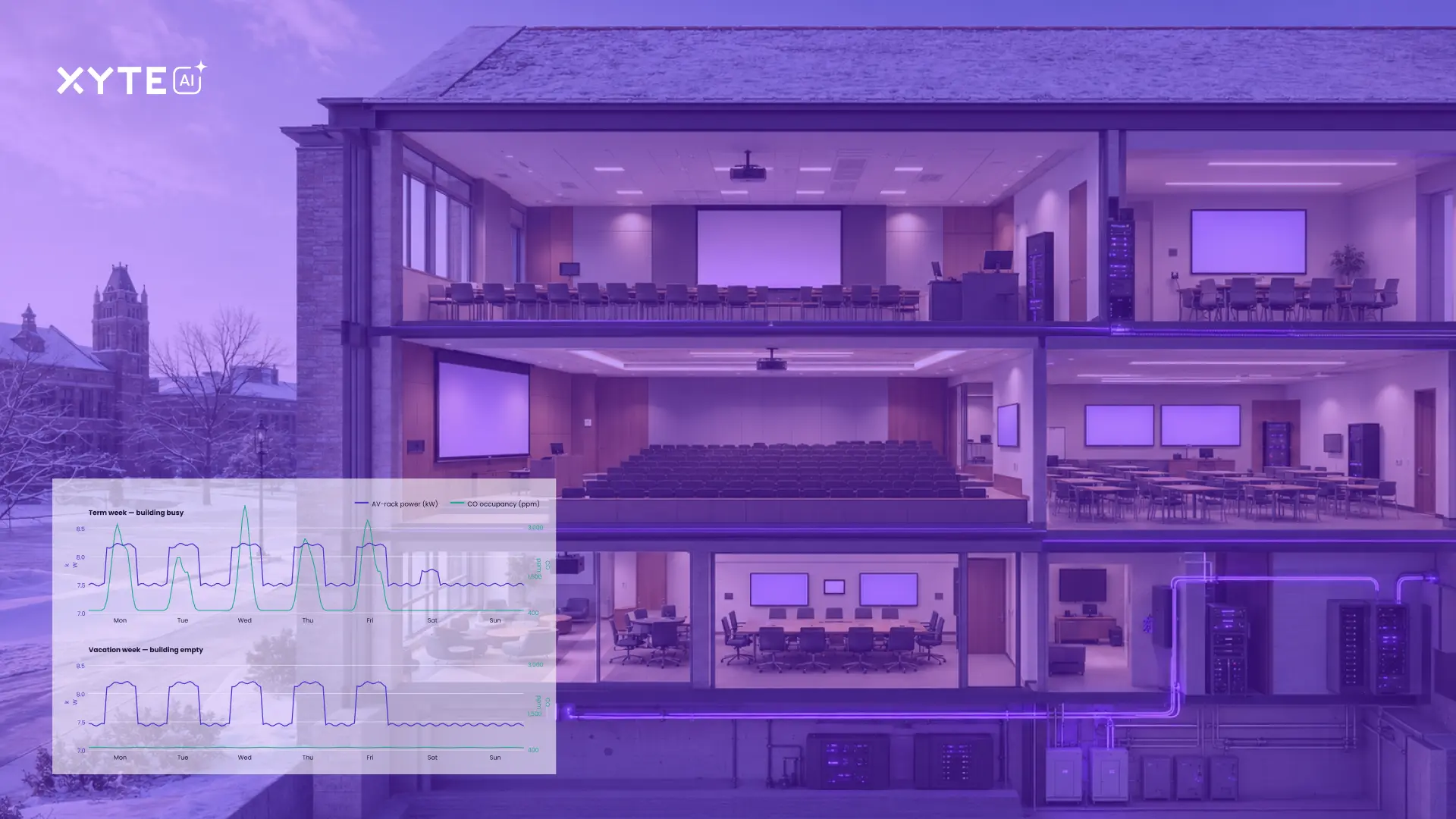

Most AV environments stay powered on long after people leave the room. Displays run overnight. Systems sit idle. Electricity keeps flowing to rooms for no good operational reason, except that there’s no simple way to control device behavior at scale. The result is a huge ongoing waste of energy, effort, and cost. At a time when companies are actively seeking more planet-friendly business models and practices, existing AV power management paradigms are a stick in the wheel of sustainability.
Xyte’s new workflow feature changes that. It brings built-in fleet-wide scheduling and automation into the platform, so teams can decide when devices turn on, when they power down, and how they operate across time, without code or custom logic. Whether it’s a nightly shutdown or a weekly reset, actions are easy to set and simple to manage.
This feature can have a massive operational and sustainability impact. In this blog, we’ll look at what the workflow feature does, why it matters, and how even small actions can drive big savings.
What the Workflow Feature Does
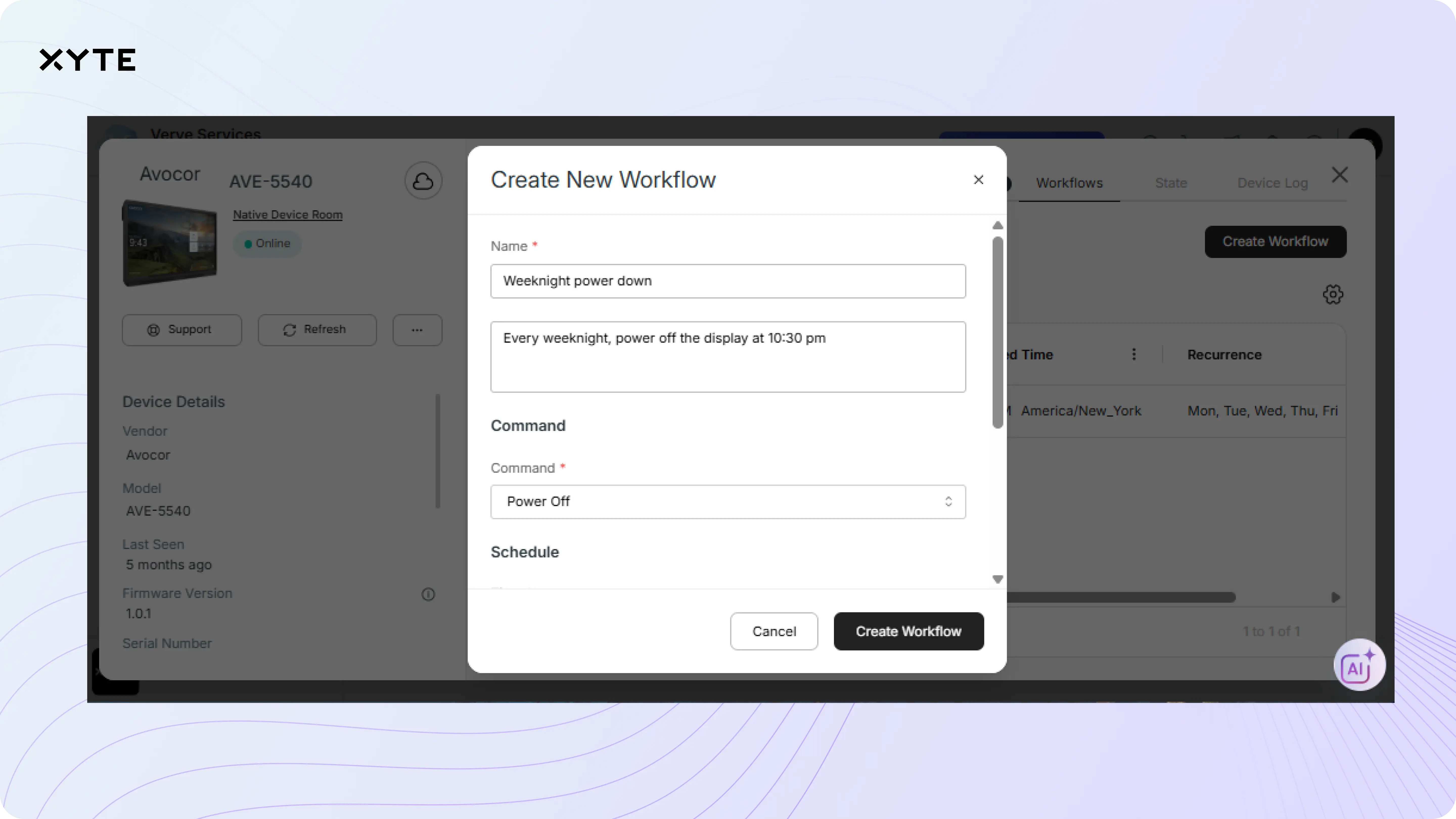
The workflow feature adds a new tab inside the device view of the Xyte platform dashboard, giving users a direct way to schedule and automate commands. Creating a workflow is simple: name it, choose the command, pick a time, and set the days. Once saved, the workflow runs automatically and appears in the commands tab with full tracking. Users can edit or delete workflows at any time, and the system ensures accuracy by checking that each room has a defined time zone before any scheduled actions are allowed to run.
Workflows can be created for individual devices or applied in bulk. That makes it easy to deploy repeatable actions across large fleets without creating duplicate work. Reboot a set of displays each Sunday at 3 a.m. Power down signage after hours. Reset inputs every morning. It all runs natively in the Xyte platform, with no external tools or manual intervention needed.
Built-In Energy Savings at Scale
In a large enterprise, it’s common to have several thousand shared displays spread across conference rooms, lobbies, campuses, and operations spaces. Unlike personal devices, these displays are often left powered on continuously simply because no one is responsible for turning them off.
Consider a simple example: a single commercial display running 24/7 can consume ~5 kWh per day, adding up to $200+ per year in electricity costs. Multiply that across 2,000–5,000 displays, and the result is hundreds of thousands to over a million dollars annually in unnecessary energy spend, and that’s before factoring in added wear on hardware.
Sustainability at scale: Automating power schedules for 1,000 shared displays can cut energy use by roughly 50%, saving $100,000+ annually while eliminating hundreds of thousands of kWh of wasted electricity.
This is where workflows and scheduled commands make an immediate difference. By automatically powering displays down overnight, from 19:00 to 09:00, you remove 14 hours of daily runtime. Adding weekends eliminates another 48 hours per week, capturing the largest and most predictable windows of energy waste without relying on manual action.
What looks like a simple scheduling rule quickly compounds across thousands of devices: lower energy bills, longer display lifespans, and a measurable reduction in an organization’s carbon footprint.
While occupancy-based automation can help reduce power usage during short daytime gaps, time-based schedules target the longer off-hours when spaces are consistently unused. That broader coverage accounts for up to 80% of total energy-saving potential, delivering greater impact with far less operational complexity.
No-Code Automation for AV/IT and MSPs
For most AV and IT teams, automation has always meant overhead - writing scripts, configuring control systems, or navigating vendor-specific interfaces. The Xyte workflow feature removes that burden. It turns routine tasks into reusable schedules that run inside the platform, without code, custom logic, or external tools.
This is especially useful for MSPs managing large, multi-tenant environments. Instead of setting rules in isolation, they can define consistent behaviors that apply across customer fleets – or even across different customers. Whether it’s a weekly reboot, nightly power-down, or daily input reset, workflows make it easy to scale without increasing complexity.
Xyte workflows also offer MSPs a foundation for innovative service offerings, like standardized automation packages or energy-saving policies. They help support teams moving from reactive support to structured control - reducing errors, saving time, and building consistency across environments. For integrators and in-house teams alike, automation no longer needs to be a project. It’s simply built in.
The Bottom Line: Baked-In Sustainability
Xyte workflows turn sustainability from an aspiration into an operating principle. By embedding simple, repeatable automation into daily AV operations, teams can align device behavior with how spaces are actually used without adding complexity or manual effort. Xyte’s AI Teammate further supports this by identifying trends in devices staying on unnecessarily and helping teams quantify the energy and cost impact of those patterns, making it easier to refine workflows and drive continuous, measurable improvement over time.
When fleets follow clear schedules by default, unnecessary power draw disappears, operational discipline improves, and energy savings compound quietly in the background. The result is AV infrastructure that’s easier to manage, cheaper to run, and inherently more sustainable.
This isn’t about one-off optimizations. It’s about baking smarter behavior into the system itself - so efficiency and environmental responsibility come standard.